

 Varad
Varad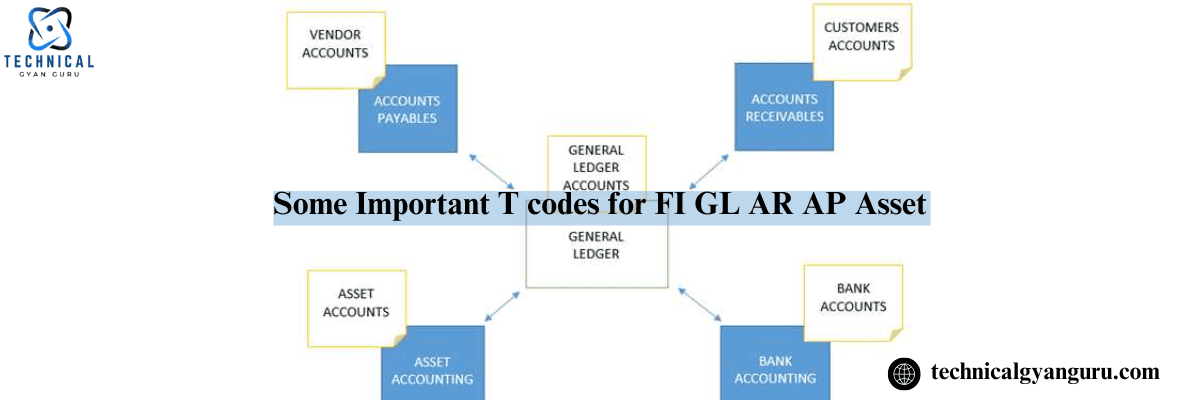
Details of T Codes
Accounting for Finances
SPRO Put in the IMG OX02 Company Code to Create, Verify, and Delete OX03. Create Business Area
Functional Areas for OKBD
OB45 Establish a Credit Control Zone
Maintaining the Fiscal Year Variant (OB29)
OB37: Assign Co. Code to Variant Fiscal Year
OB13: Chart of Account (CoA) Creation
OBY7: Copy the Accounts Chart (CoA)
OBY9: Account Transport Chart OBD4: Account Group Definition
OBY2: Transfer GL Accounts to Co. Code from the Chart
OB53 Define Retained Earnings
OB58 Maintain Financial Statement Versions
OBC4 Maintain Field Status Variant
OBBO Define Posting Period Variant
OBA7 Define Document Type & Number Ranges
OB41 Maintain Posting Keys
OBA4 Create Tolerance Groups
FBN1 Create GL Number Ranges
OBL1 Automatic Posting Documentation
FBKP Automatic Account Assignment
OBYC MM Automatic Account Assignment
OBY6 Enter Global parameters
FS00: Establishing GL Master Records
(F-02) GL Transaction Posting
(FB03) GL Document Display (FS10N) GL Accounts display
OB46 Describe Types of Interest Calculations
Define Vendor Account Group (XK01) in OBD3. Establishing the Vendor Master (F-43) Posting of Purchase Invoice (FK10N) F112 Vendor Account Display Describe House Bank
OBB8 Maintain Terms of Payment (ToP)
OBD2: Customer Account Group Creation
Customer Tolerance Groups (XD01) for OBA3 Customer Master (FD10N) creation Show Client Account (F-28) posting of incoming payments
OB61 Describe the Dunning Area
EC08 Copy of the Depreciation Reference Chart (CoD)
Depreciation Area Definition by OADB
OAOB Assign Chart of Depreciation to Co. Code OAOA Define Asset Class
AO90 Account Assignment in the Asset Class
OAY2: Depreciation Area Calculation in Asset Class (AS01) Establishing the Asset Master (AS11)Creation of Sub Asset
(F-90) Asset Purchase Posting
(AFAB) Depreciation Run
(F-92) Asset Sale Posting
(AW01N) Asset Explorer
Explain the difference between INVOICE and BILLING in SAP.
In terms of SD, both are equal.
– We refer to this in FI terminology as an INVOICE, and in SD terminology as a BILLING DOCUMENT.
– Once more, only INVOICE will be available to vendors in MM.
An invoice is a document that certifies the delivery of goods, and a billing is a payment receipt.
An invoice is created when items are given to a client; a bill is created when goods are received from vendors.
Bills indicate that we must pay the amount shown on them; invoices indicate that we must receive the amount shown on them.
The invoice is for both the customer’s and the vendor’s invoice.
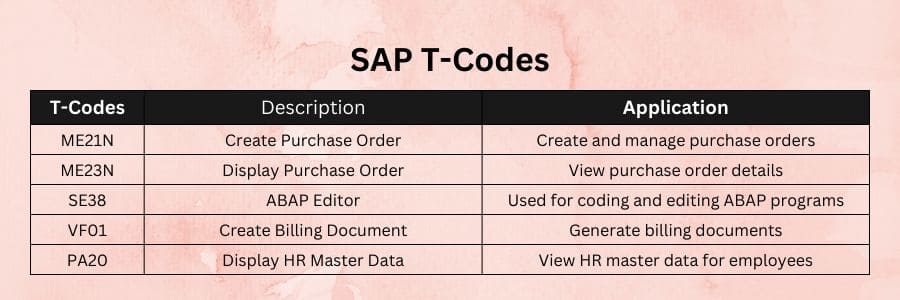
Billing Tcodes: VF01 generates a billing record. The delivery order appears automatically.
VF02: The billing document opens automatically. Examine the accounting entries
T codes for invoices: – FB60 Create invoice with respect to raw material and tax.
– Sales and tax inputs in the FB70 invoice
Also read :
Is Salesforce CPQ Trailhead Good Choice to Learn?
The Future of Media Consumption: What Tech Buyers Expect in 2024 and Beyond…






