

 Varad
Varad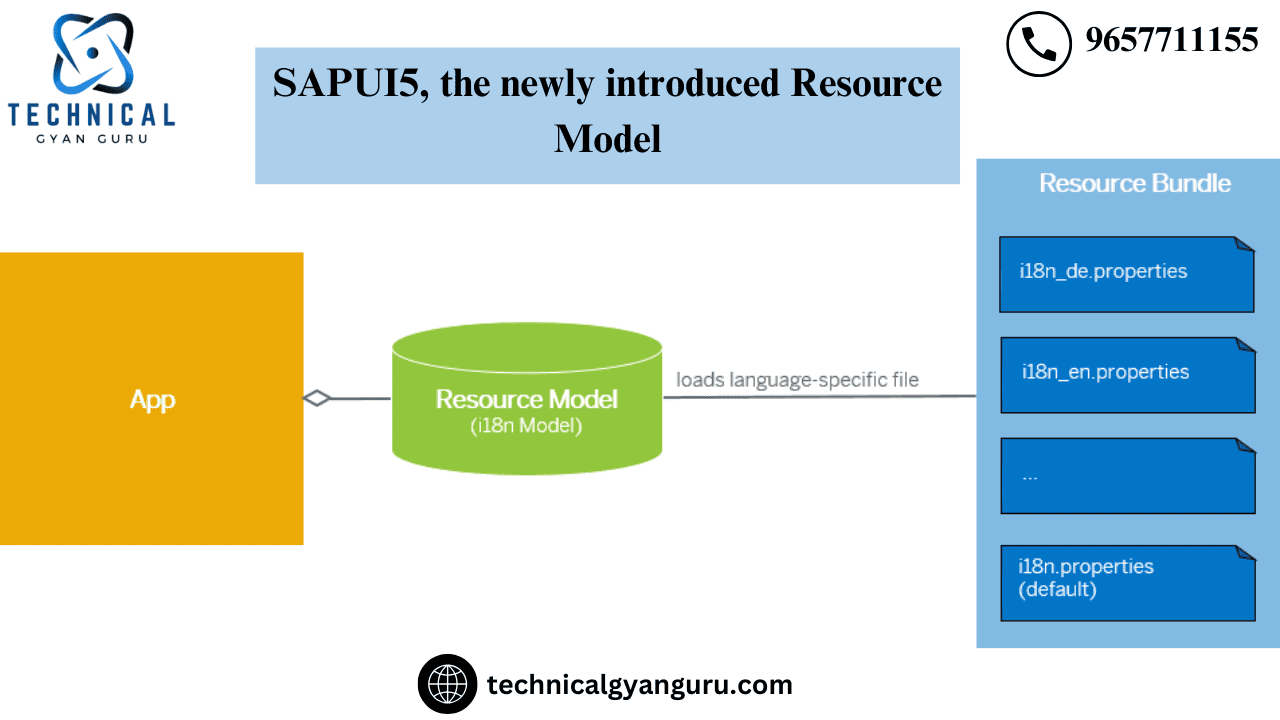
SAPUI5 to stay up to date on various UI development topics. In this piece, the resource model is on my plate. Fiori and UI apps employ the resource concept for internationalization. I18n model is another name for resource model.
Are you unsure about the meaning of 18?
In internationalization, 18 is the number of alphabets between I and N. Have you simply talled the alphabets? Was this ever explained to you before?
In our SAPUI5 application, we employ translation and internationalization to replace the application’s hardcoded content. The use of i18n for hard-coded texts is one of SAP’s best practices. Since it is a one-time binding, we usually define it using the Resource Model.
Utilization Case
We are going to present a table where our i18n model will determine how the column heading texts should be translated.
Steps:
- Make a new folder called “i18n” and place a file within the “Configure in manifest” folder.JSON
- Include the translations in the i18n files.
- Complete the view.xml binding.
- Run the program.
Step – 1: Create a new folder i18n and file inside the folder as shown below.

Step – 2: Set up the manifest.json file.
The above-created i18n file needs to be configured in our manifest.json in the models area under the SAPUI5 section, as indicated below.

Step-3: Include the texts that can be translated in i18n files.
I will supply the texts for three distinct language files.
i18n.properties for English (default)

For Tamil – i18n_ta. Properties

For German – i18n_de. Properties

Note: Google Translate was used to translate the German and Tamil content above.What would happen if Google stopped being free to use or shut down altogether?
Step 4: As indicated below, bind the view.xml file.

Step-5: Execute the application

Note: As can be seen from the image above, text is shown in the English language by default.
Add the text “&sap-ui-language=ta” at the end of the URL if you want the text to appear in Tamil.

Run the application now to view the results in a different language.

If the text is required in German, run the program and follow the instructions below (‘&sap-ui-language=de’).


Does the URL’s language need to be changed every time?
A resounding NO.
When you log into a Fiori or UI application, the Fiori Launchpad page will open in real time and ask for your credentials, as you can see below.

The language choice in the image above allows you to choose your preferred language, after which the relevant i18n file will be accessed and the messages displayed.
It’s that simple. Correct?
The Fiori App was launching in just German by default in one of our US projects that was being rolled out in Germany. even for our client in the US. It was a challenging circumstance. To learn more about this fascinating problem and its solution, read this article.
One such topic that is not given enough attention is internationalization.similar to a few well-known yet underappreciated players in the globe.This piece pays homage to i18n.
Please leave a comment!
Read Our blog here:-
Mastering Customer 360 in Salesforce






